Reason 1: The source file may not have been created with the ideal quality.
Solution: Print the sample label to test if your printer is working well.
If the sample label is good, check the file quality.
Reason 2: High print speed or density.
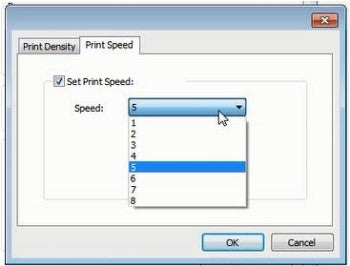
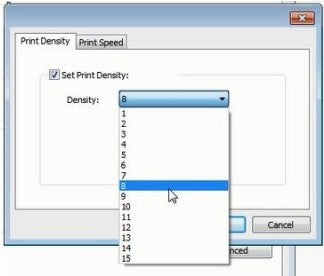
Solution: Try reducing your print speed (try 3 in/sec) and density (try 3 as well) to see if you get a better result.
For Mac
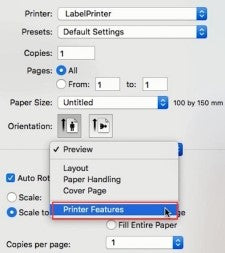
①Select "Printer Features" in "Preview"
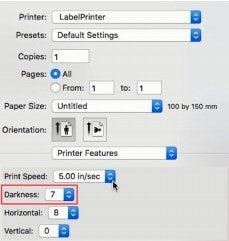
②Set the print density in "Darkness"
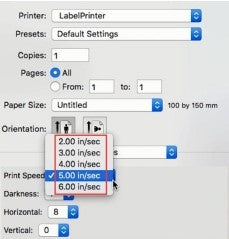
③Set the print speed in "Print Speed"
For Windows
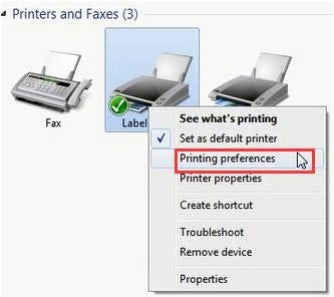
①Open “Devices and Printers” -> right click on “Label Printer” - > choose “Printer Preferences” -> click “Advanced”
②Set the print speed in "Speed"
③Set the print density in "Density"





 JP
JP
 EU
EU